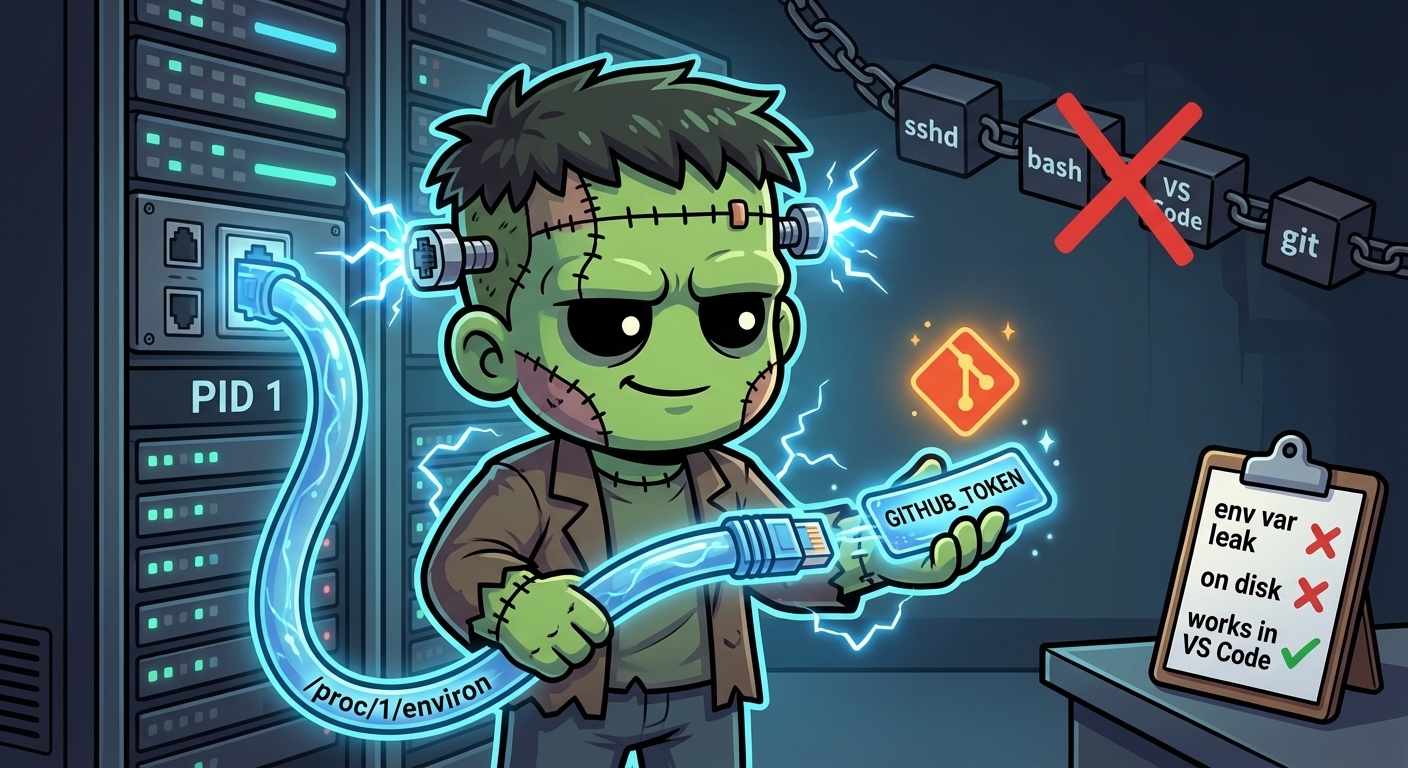
Git Credentials Without a Shell
The symptom is weird: you ssh into the secure-agent-pod, run git push, and it works. You open the VS Code source control panel in the same session, click Sync, and get:
remote: Invalid username or token. Password authentication is not supported for Git operations.
fatal: Authentication failed for 'https://github.com/.../...'
Same pod, same user, same repo. What’s different?
Where the token actually lives
Kubernetes injects env vars into the container’s PID 1 at startup. In the secure-agent-pod, entrypoint.sh is PID 1, so it gets GITHUB_TOKEN (and the rest of agent-secrets-tier2) via envFrom. Everything PID 1 spawns — sshd, supercronic, vibe-kanban — inherits that env by the normal Unix rules.
But SSH sessions do not inherit PID 1’s env. OpenSSH builds a fresh environment for each new session from /etc/environment, PAM, and the login shell’s init files. GITHUB_TOKEN isn’t in any of those. So when you ssh in, your shell has no token.
The usual workaround is to re-hydrate from /proc/1/environ in .bashrc:
_env_from_pid1() { cat /proc/1/environ 2>/dev/null | tr '\0' '\n' | grep "^${1}=" | cut -d= -f2-; }
export GITHUB_TOKEN="${GITHUB_TOKEN:-$(_env_from_pid1 GITHUB_TOKEN)}"
That works for interactive shells. Your terminal sources .bashrc, gets the token, git works.
VS Code’s git doesn’t source .bashrc. Neither does cron. Neither does any subprocess that its parent didn’t explicitly set up. You get a silent auth failure.
The fix
Skip the env var entirely. Read /proc/1/environ directly from the credential helper:
[credential]
    helper = "!f() { echo \"username=clawdia-ai-assistant\"; echo \"password=$(tr '\\0' '\\n' < /proc/1/environ | sed -n 's/^GITHUB_TOKEN=//p')\"; }; f"
Every git invocation — regardless of how it was spawned, whether it sourced a shell init file, whether the env contains GITHUB_TOKEN — reads the kernel’s view of PID 1’s startup environment and returns the token.
$ kubectl exec -n secure-agent-pod deploy/secure-agent-pod -c kali -- git config --get credential.helper
!f() { echo "username=clawdia-ai-assistant"; echo "password=$(tr '' '
' < /proc/1/environ | sed -n 's/^GITHUB_TOKEN=//p')"; }; f

$ kubectl exec -n secure-agent-pod deploy/secure-agent-pod -c kali -- bash -c 'env | grep -c ^GITHUB_TOKEN='
1

$ kubectl exec -n secure-agent-pod deploy/secure-agent-pod -c kali -- bash -c 'tr "" "
" < /proc/1/environ | grep -c ^GITHUB_TOKEN='
1
Baked into the image at /opt/gitconfig, seeded to ~/.gitconfig on first boot:
COPY gitconfig /opt/gitconfig# in entrypoint.sh
[ -f "$HOME/.gitconfig" ] || cp /opt/gitconfig "$HOME/.gitconfig"Is this secure?
Strictly more secure than the env-var approach. Three reasons:
/proc/PID/environis kernel-enforced to be readable only by the same uid (or root) viaptrace_may_access. In the secure-agent-pod, PID 1 and theclaudeuser both run as uid 1000, so the helper can read it. A hypothetical attacker on the same host running as a different user cannot.Nothing touches disk.
/proc/1/environis a kernel pseudo-file backed by the process’s startup env in kernel memory. The token is only materialised for the duration of onetr+sedpipeline per git call, then discarded. The spec for the secure-agent-pod requires “no credential touches disk as a plaintext file” — this holds.Smaller leakage surface. The env-var approach puts
GITHUB_TOKENinto every interactive shell’s environment, where it can leak viaenv,ps e, shell history, or child-process inheritance. The/proc/1/environhelper never exports the token anywhere.
Token rotation works the same as the env-var version: ESO updates the K8s Secret, you restart the pod, PID 1 gets the new value, the helper starts returning it.
Caveats
- Linux only.
/proc/1/environdoesn’t exist on macOS or Windows. Not a concern for containers, but worth noting if you copy the helper to a laptop. - PID 1 must run as your uid. If your entrypoint runs as root and drops privileges to a non-root user,
/proc/1/environbecomes root-only and the helper fails with EACCES. The secure-agent-pod entrypoint runs as uid 1000 throughout. - Env is frozen at container start. If ESO refreshes the Secret while the pod is running,
/proc/1/environstill shows the old value. You have to restart the pod. This is standard Kubernetes behaviour, not specific to this helper.
References
- Operating on Secure Agent Pod — Full operational guide for the pod
proc(5)—/proc/pid/environ— Kernel documentation- Git
gitcredentials(7)— Credential helper protocol