Operating on Cluster & Nodes
This is the operational companion to Building the Foundation. That post covers why we chose Talos and Cilium and how they were deployed. This one covers the commands you actually type on a Tuesday afternoon when something looks off.
What “Healthy” Looks Like
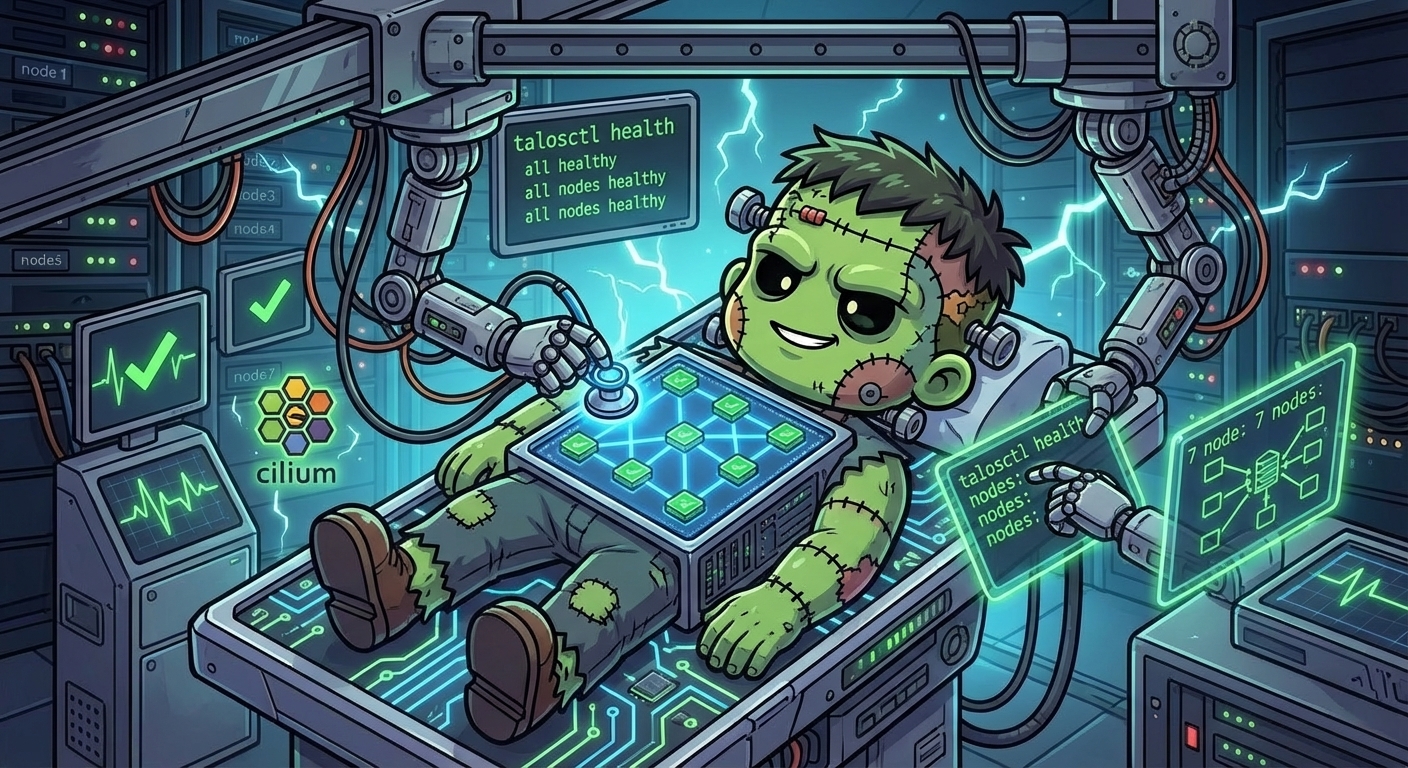
A healthy Frank means all seven nodes are Ready, every Cilium agent pod is running, and Hubble is collecting flows. If all three of those conditions hold, networking is working and the control plane is stable. That is the baseline you are checking against whenever you run any of the commands below.
$ kubectl get nodes -o wide
NAME      STATUS   ROLES           AGE   VERSION   INTERNAL-IP     EXTERNAL-IP   OS-IMAGE          KERNEL-VERSION   CONTAINER-RUNTIME
gpu-1     Ready    <none>          49d   v1.35.3   192.168.55.31   <none>        Talos (v1.12.6)   6.18.18-talos    containerd://2.1.6
mini-1    Ready    control-plane   49d   v1.35.3   192.168.55.21   <none>        Talos (v1.12.6)   6.18.18-talos    containerd://2.1.6
mini-2    Ready    control-plane   49d   v1.35.3   192.168.55.22   <none>        Talos (v1.12.6)   6.18.18-talos    containerd://2.1.6
mini-3    Ready    control-plane   49d   v1.35.3   192.168.55.23   <none>        Talos (v1.12.6)   6.18.18-talos    containerd://2.1.6
pc-1      Ready    <none>          49d   v1.35.3   192.168.55.71   <none>        Talos (v1.12.6)   6.18.18-talos    containerd://2.1.6
raspi-1   Ready    <none>          49d   v1.35.3   192.168.55.41   <none>        Talos (v1.12.6)   6.18.18-talos    containerd://2.1.6
raspi-2   Ready    <none>          49d   v1.35.3   192.168.55.42   <none>        Talos (v1.12.6)   6.18.18-talos    containerd://2.1.6

$ cilium status --wait=false | head -25
    /¯¯\
 /¯¯\__/¯¯\    Cilium:             OK
 \__/¯¯\__/    Operator:           OK
 /¯¯\__/¯¯\    Envoy DaemonSet:    OK
 \__/¯¯\__/    Hubble Relay:       OK
    \__/       ClusterMesh:        disabled

DaemonSet              cilium                   Desired: 7, Ready: 7/7, Available: 7/7
DaemonSet              cilium-envoy             Desired: 7, Ready: 7/7, Available: 7/7
Deployment             cilium-operator          Desired: 2, Ready: 2/2, Available: 2/2
Deployment             hubble-relay             Desired: 1, Ready: 1/1, Available: 1/1
Deployment             hubble-ui                Desired: 1, Ready: 1/1, Available: 1/1
Containers:            cilium                   Running: 7
                       cilium-envoy             Running: 7
                       cilium-operator          Running: 2
                       clustermesh-apiserver
                       hubble-relay             Running: 1
                       hubble-ui                Running: 1
Cluster Pods:          135/135 managed by Cilium
Helm chart version:    1.17.0
Image versions         cilium             quay.io/cilium/cilium:v1.17.0@sha256:51f21bdd003c3975b5aaaf41bd21aee23cc08f44efaa27effc91c621bc9d8b1d: 7
                       cilium-envoy       quay.io/cilium/cilium-envoy:v1.31.5-1737535524-fe8efeb16a7d233bffd05af9ea53599340d3f18e@sha256:57a3aa6355a3223da360395e3a109802867ff635cb852aa0afe03ec7bf04e545: 7
                       cilium-operator    quay.io/cilium/operator-generic:v1.17.0@sha256:1ce5a5a287166fc70b6a5ced3990aaa442496242d1d4930b5a3125e44cccdca8: 2
                       hubble-relay       quay.io/cilium/hubble-relay:v1.17.0@sha256:022c084588caad91108ac73e04340709926ea7fe12af95f57fcb794b68472e05: 1
                       hubble-ui          quay.io/cilium/hubble-ui-backend:v0.13.1@sha256:0e0eed917653441fded4e7cdb096b7be6a3bddded5a2dd10812a27b1fc6ed95b: 1
Observing State
Cluster and Node Health
Start with the big picture. Talos has a built-in health check that validates etcd, the API server, kubelet, and node readiness in one shot:
talosctl health --nodes 192.168.55.21This runs against a single node but checks cluster-wide health through it. Pick any control-plane node.
For a quick view of all nodes and their status, IPs, and kernel versions:
kubectl get nodes -o wideYou should see all seven nodes as Ready. If a Raspberry Pi drops to NotReady, do not panic – they occasionally take longer to rejoin after a network blip.
To check which Talos version each node is running (useful before and after upgrades):
talosctl version --nodes 192.168.55.21,192.168.55.22,192.168.55.23Cilium and Networking
Cilium has its own CLI for status checks. This shows agent health, operator status, and which features are active:
cilium statusLook for OK next to each component. The KubeProxyReplacement line should show True since Frank runs Cilium as a full kube-proxy replacement.
To watch live network flows between pods:
hubble observeThis streams flows in real time. You can filter by namespace, pod, or verdict:
hubble observe --namespace longhorn-system
hubble observe --verdict DROPPED
Tip: Hubble UI at
http://192.168.55.202gives you the same flow data with a visual service map. It is often faster for exploring than the CLI.
Node-Level Diagnostics
When you need to dig deeper into a specific node, Talos exposes kernel messages and service logs through its API:
# Kernel messages (equivalent to dmesg on a regular Linux box)
talosctl dmesg --nodes 192.168.55.31

# Service logs (kubelet, containerd, etcd, etc.)
talosctl logs kubelet --nodes 192.168.55.21
talosctl logs containerd --nodes 192.168.55.31
Since there is no SSH on Talos, these commands are your only window into what the OS is doing. Get comfortable with them.
Routine Operations
Upgrading Talos
Talos upgrades are applied node by node. The node reboots into the new version, and workloads are drained and rescheduled automatically:
talosctl upgrade --nodes 192.168.55.21 \
  --image ghcr.io/siderolabs/installer:v1.9.5
Warning: Always upgrade control-plane nodes one at a time and wait for each to rejoin before proceeding. Upgrading all three simultaneously will take down etcd quorum and the API server with it.
When managing through Omni, upgrades can also be triggered from the dashboard or via omnictl:
omnictl get machinesThis shows each machine’s current OS version, connected status, and cluster membership. Omni can also coordinate rolling upgrades across the cluster.
Applying Config Patches
All node customization on Frank flows through Omni config patches. To apply a new or updated patch:
omnictl apply -f patches/phase01-node-config/03-labels-mini-1.yamlOmni merges the patch into the node’s machine config. Depending on the change, the node may reboot automatically or require a manual reboot:
talosctl reboot --nodes 192.168.55.21Cleaning Up Stale Pods
If you run kubectl get pods -A and see a sea of Completed or Error pods, that is normal — but it is worth understanding why they accumulate and how to clean them up.
Why they appear: Kubernetes operators and storage drivers (Longhorn CSI provisioners, External Secrets, etc.) schedule work as Jobs rather than Deployments. Each Job run creates a new pod. When the run finishes, the pod stays in Completed or Error state instead of disappearing, because Job pods are not automatically recycled unless the Job spec includes ttlSecondsAfterFinished. Many upstream Helm charts do not set this field.
Do they consume resources? No CPU or memory — the container process is gone. They do consume a small amount of etcd storage (~2–4 KB per pod object) and add noise to kubectl get pods output. On a cluster this size it is rarely a problem, but cleaning them up periodically is good hygiene.
Will they ever go away on their own? Only when the cluster-wide terminated-pod garbage collector kicks in. Its default threshold is 12,500 pods — so in practice they accumulate indefinitely on a homelab.
To delete all Succeeded pods cluster-wide:
kubectl get pods -A --field-selector=status.phase==Succeeded \
  -o json | kubectl delete -f -
And for Failed pods:
kubectl get pods -A --field-selector=status.phase==Failed \
  -o json | kubectl delete -f -
Note: These commands delete the pod objects but not the parent Job records. Deleting a Job deletes its pods too:
kubectl delete jobs -A --field-selector=status.completionTime(selects completed jobs). Be careful deleting Jobs if you want to preserve their history.
Rebooting Nodes
For a controlled reboot of a single node:
talosctl reboot --nodes 192.168.55.31The node drains itself before rebooting, so workloads migrate to other nodes. For control-plane nodes, make sure etcd quorum will survive (at least two of three nodes must remain up).
Debugging
Node NotReady
If kubectl get nodes shows a node as NotReady:
Check Talos health from a working control-plane node:
talosctl health --nodes 192.168.55.21Check kernel messages for hardware or driver errors:
talosctl dmesg --nodes <problem-node-IP>Check etcd if it is a control-plane node. A split-brain or failed etcd member will take a node out of Ready:
talosctl etcd status --nodes 192.168.55.21
talosctl etcd members --nodes 192.168.55.21
Check kubelet logs for registration or certificate issues:
talosctl logs kubelet --nodes <problem-node-IP>
Pod Networking Issues
When pods cannot reach each other or external services:
Run the Cilium connectivity test to validate end-to-end networking:
cilium connectivity testThis deploys test pods and checks DNS, pod-to-pod, pod-to-service, and egress flows. It takes a few minutes but is thorough.
Observe flows for a specific pod to see what is being dropped:
hubble observe --pod <namespace>/<pod-name>
hubble observe --pod default/my-app --verdict DROPPED
Check Cilium endpoint status for the affected pod:
cilium endpoint listEndpoints in a state other than
readyindicate the agent has not finished programming BPF for that pod.
Cilium Agent Issues
If the Cilium agent itself is crashing or misbehaving:
kubectl logs -n kube-system ds/cilium -c cilium-agent --tail=100
kubectl get pods -n kube-system -l k8s-app=cilium
Common causes on Talos: missing security capabilities (the agent needs a specific set including IPC_LOCK and SYS_RESOURCE), or cgroup mount conflicts if autoMount was left enabled.
Quick Reference
| Command | What It Does |
|---|---|
talosctl health --nodes <IP> | Full cluster health check via a single node |
kubectl get nodes -o wide | List all nodes with status, IPs, versions |
talosctl version --nodes <IP> | Show Talos OS version on a node |
talosctl dmesg --nodes <IP> | Kernel messages (like dmesg over SSH) |
talosctl logs <svc> --nodes <IP> | Service logs (kubelet, containerd, etcd) |
talosctl upgrade --nodes <IP> --image <img> | Upgrade Talos on a node |
talosctl reboot --nodes <IP> | Graceful node reboot with drain |
talosctl etcd status --nodes <IP> | etcd cluster health |
talosctl etcd members --nodes <IP> | List etcd members |
omnictl get machines | Show all machines managed by Omni |
omnictl apply -f <patch> | Apply a Talos config patch through Omni |
cilium status | Cilium agent and operator health |
cilium connectivity test | End-to-end networking validation |
cilium endpoint list | List all Cilium-managed pod endpoints |
hubble observe | Stream live network flows |
hubble observe --verdict DROPPED | Show only dropped flows |
kubectl get pods -A --field-selector=status.phase==Succeeded -o json | kubectl delete -f - | Delete all Completed pods cluster-wide |
kubectl get pods -A --field-selector=status.phase==Failed -o json | kubectl delete -f - | Delete all Failed pods cluster-wide |
References
- Talos CLI Reference – Full
talosctlcommand documentation - Cilium Operations Guide – Day-2 operations for Cilium
- Hubble Documentation – Network observability CLI and UI
- Omni Documentation – Sidero Omni machine management
- Talos Troubleshooting Guide – Official debugging workflows for Talos Linux