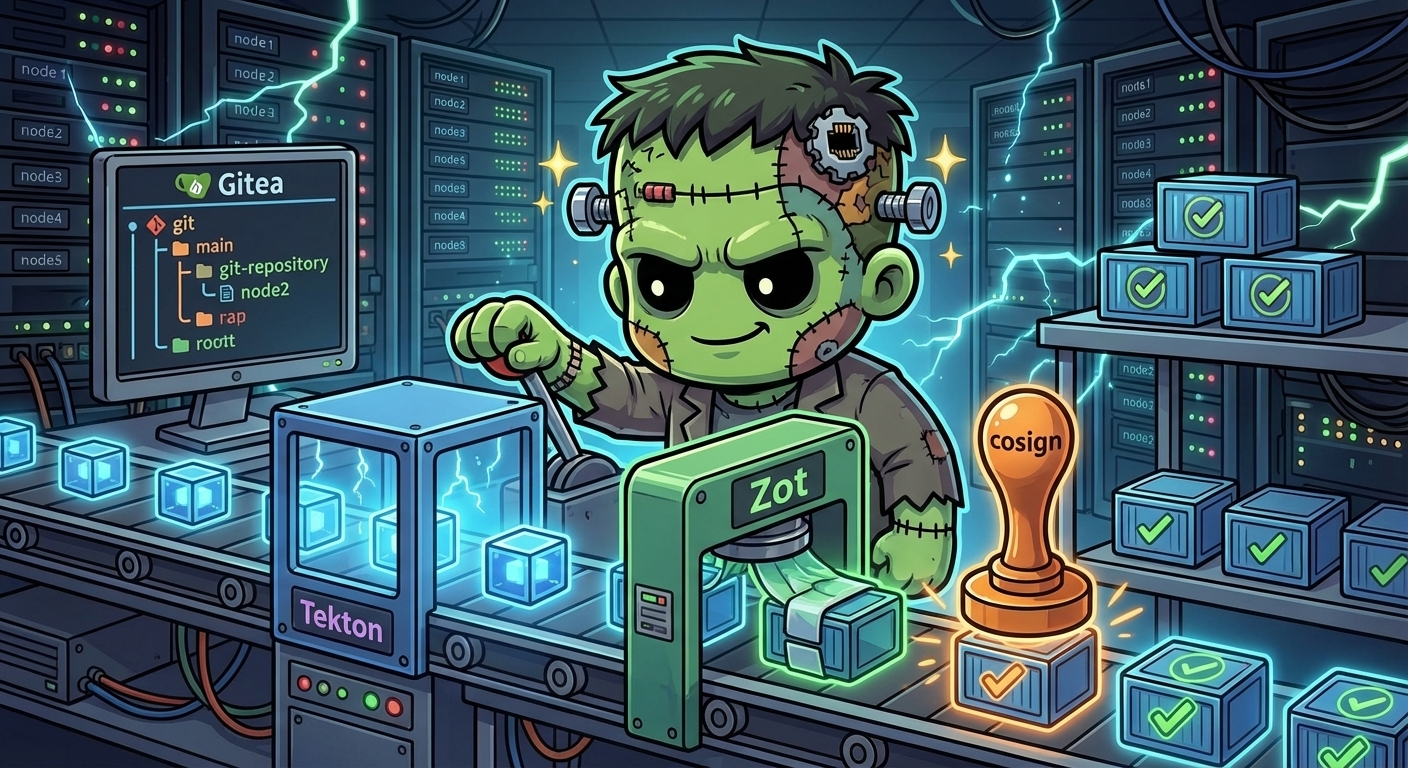
CI/CD Platform — Gitea, Tekton, Zot, and Cosign
For 25 layers, every container image Frank ran came from somewhere else — Docker Hub, GitHub Container Registry, upstream Helm charts. The cluster consumed images but never built them. That’s fine for adoption, but it means the cluster has no opinion about what it runs. No local builds, no signature verification, no audit trail from commit to deployment.
This post changes that. We deploy a complete CI/CD platform on pc-1: Gitea mirrors GitHub repos locally, Tekton runs webhook-driven pipelines, Zot stores OCI container images, and cosign signs every image that comes out the other end. All four components are ArgoCD-managed, secrets flow through Infisical, and the whole thing runs on a single worker node with local storage.
Architecture
GitHub ──pull mirror──> Gitea (192.168.55.209)
                          │
                     webhook (push)
                          │
                    Tekton EventListener
                          │
              ┌───────────┴───────────┐
              │    gitea-ci Pipeline   │
              ├─ clone (git-clone)     │
              ├─ test (run-tests)      │
              ├─ build (Kaniko)────────┼──push──> Zot (192.168.55.210)
              ├─ sign (cosign)─────────┼──sign──> Zot (signature)
              └─ report status─────────┼──POST──> Gitea commit status
                                       │
                    Tekton Dashboard (192.168.55.217)
Every component runs on pc-1 — the legacy desktop with 64GB RAM that previously sat idle in the Edge zone. A dedicated longhorn-cicd StorageClass pins PVCs to that node with single-replica storage. Not HA, but CI/CD pipelines are ephemeral — if pc-1 goes down, builds queue until it comes back.
Prerequisites
The CI/CD layer builds on top of existing infrastructure:
- Longhorn — persistent storage for Gitea repos and Zot image blobs
- Cilium L2 — LoadBalancer IPs for all three services
- Infisical + ExternalSecrets — secrets for admin passwords, API tokens, push credentials
- cert-manager — self-signed TLS certificate for the Zot registry
- Authentik — OIDC SSO for Gitea, forward-auth proxy for Tekton Dashboard
StorageClass: longhorn-cicd
Before deploying anything, we need a StorageClass that pins storage to pc-1. CI/CD data doesn’t need 3-replica replication — the repos are mirrors (GitHub is the source of truth), the registry images are rebuilt from source, and pipeline workspaces are ephemeral:
# apps/longhorn/manifests/storageclass-longhorn-cicd.yaml
apiVersion: storage.k8s.io/v1
kind: StorageClass
metadata:
  name: longhorn-cicd
provisioner: driver.longhorn.io
reclaimPolicy: Delete
volumeBindingMode: Immediate
allowVolumeExpansion: true
parameters:
  numberOfReplicas: "1"
  dataLocality: best-effort
  nodeSelector: "kubernetes.io/hostname:pc-1"
Single replica, pinned to pc-1. Longhorn still manages the volume lifecycle, but it won’t replicate across the cluster.
Gitea — Self-Hosted Git Forge
Gitea is a lightweight Git forge — think self-hosted GitHub without the enterprise pricing. We use it purely as a pull mirror: it clones repositories from GitHub on a 10-minute interval, giving Tekton a local source to clone from without depending on external network access.
Deployment
Gitea deploys via the upstream Helm chart (v11.0.3) with SQLite (no PostgreSQL for a single-user homelab), Longhorn-CICD storage, and Authentik OIDC for SSO:
# apps/gitea/values.yaml (key excerpts)
gitea:
  admin:
    existingSecret: gitea-secrets

  config:
    server:
      DOMAIN: 192.168.55.209
      ROOT_URL: http://192.168.55.209:3000/
      SSH_PORT: 2222

    service:
      DISABLE_REGISTRATION: false
      ALLOW_ONLY_EXTERNAL_REGISTRATION: true

    mirror:
      ENABLED: true
      DEFAULT_INTERVAL: 10m

    webhook:
      ALLOWED_HOST_LIST: "*.svc.cluster.local"

persistence:
  enabled: true
  size: 10Gi
  storageClass: longhorn-cicd

strategy:
  type: Recreate   # RWO PVC — can't rolling-update

postgresql:
  enabled: false
Two important details: ALLOW_ONLY_EXTERNAL_REGISTRATION: true means only Authentik OIDC users can create accounts (no local signup form), and webhook.ALLOWED_HOST_LIST must include *.svc.cluster.local or Gitea silently drops outgoing webhook delivery to in-cluster services like the Tekton EventListener.
Authentik OIDC
Gitea’s OAuth integration uses the gitea.oauth section in Helm values. The Authentik provider and application are created via a setup script that calls the Authentik API to create an OAuth2 provider with the correct redirect URI (http://192.168.55.209:3000/user/oauth2/authentik/callback). The client secret is stored in Infisical and synced via ExternalSecret.
After deployment, clicking “Sign in with authentik” on the Gitea login page redirects to the Authentik login flow. On first login, Gitea auto-creates a linked account.
GitHub Mirror
With Gitea running, we create a pull mirror of the frank repo via the migration API:
curl -sf -X POST "$GITEA_URL/api/v1/repos/migrate" \
  -H "Authorization: token $ADMIN_TOKEN" \
  -H "Content-Type: application/json" \
  -d '{
    "clone_addr": "https://github.com/derio-net/frank.git",
    "repo_name": "frank",
    "repo_owner": "tekton-bot",
    "service": "github",
    "mirror": true,
    "mirror_interval": "10m"
  }'
A tekton-bot service account owns the mirror and has an API token stored in Infisical for pipeline status reporting. The mirror syncs every 10 minutes — fast enough for CI, without hammering GitHub’s API.
Tekton — Kubernetes-Native Pipelines
Tekton is a K8s-native CI/CD engine — pipelines are CRDs, each step runs in its own container, and workspaces are PVCs. No external CI server, no agents phoning home, no YAML DSL wrapping shell scripts. Just Kubernetes resources.
Core Components
Three vendored release YAMLs deployed as separate ArgoCD apps:
| Component | Version | What It Does |
|---|---|---|
| Tekton Pipelines | v0.65.2 | Pipeline controller, CRDs (Task, Pipeline, PipelineRun) |
| Tekton Triggers | v0.28.1 | EventListener, TriggerBinding, TriggerTemplate |
| Tekton Dashboard | v0.52.0 | Web UI for viewing pipelines and logs |
The vendored YAML approach (downloading release manifests into the repo) keeps Tekton under ArgoCD management without needing a Helm chart. The dashboard gets a separate Cilium L2 LoadBalancer at 192.168.55.217:9097.
EventListener and Triggers
The EventListener receives webhooks from Gitea, extracts push event data, and creates PipelineRuns:
# apps/tekton/triggers/eventlistener.yaml (simplified)
apiVersion: triggers.tekton.dev/v1beta1
kind: EventListener
metadata:
  name: gitea-listener
  namespace: tekton-pipelines
spec:
  triggers:
    - name: gitea-push
      interceptors:
        - ref:
            name: "cel"
          params:
            - name: "filter"
              value: >-
                header.match('X-Gitea-Event', 'push')
            - name: "overlays"
              value:
                - key: branch_name
                  expression: "body.ref.split('/')[2]"
      bindings:
        - ref: gitea-push-binding
      template:
        ref: gitea-pipeline-template
One important gotcha: the plan originally used the github ClusterInterceptor for webhook validation, but Gitea sends X-Gitea-Event headers instead of X-GitHub-Event. The GitHub interceptor silently drops anything without the expected header. We switched to a CEL interceptor that explicitly matches X-Gitea-Event: push.
The TriggerTemplate creates a PipelineRun with a longhorn-cicd PVC workspace, and sets fsGroup: 65534 on the pod security context so non-root containers can write to the volume.
The gitea-ci Pipeline
The pipeline has three stages, each gated so it works for test-only repos (no Dockerfile) and build repos alike:
Stage A — Clone and Test:
git-clone(vendored from Tekton catalog) checks out the reporun-testsruns a configurable test command
Stage B — Build and Push (optional):
build-pushuses Kaniko to build a container image and push to Zot- Skipped when
imageparam is empty (test-only repos)
Stage C — Sign (optional):
cosign-signsigns the pushed image with a private key- Skipped alongside Stage B
Finally block:
report-successorreport-failure— posts commit status back to Gitea via the API- Accepts both
"Succeeded"and"Completed"as success states (Tekton reports"Completed"when tasks are skipped viawhenclauses)
# apps/tekton/pipelines/gitea-ci.yaml (structure)
spec:
  tasks:
    - name: clone       # Always runs
    - name: test        # Always runs (after clone)
    - name: build-push  # Conditional: only if image param is set
    - name: sign        # Conditional: only if image param is set
  finally:
    - name: report-success  # When tasks succeeded/completed
    - name: report-failure  # When tasks failed
Zot — OCI Container Registry
Zot is a minimal, OCI-native container registry — no Docker distribution overhead, no authentication proxies, just a single Go binary that speaks the OCI Distribution Spec. It runs on pc-1 with cert-manager TLS and htpasswd-based push authentication.
TLS with cert-manager
The registry needs HTTPS — containerd (via Talos) won’t pull from plain HTTP registries without explicit mirror configuration, and cosign refuses to sign over insecure connections by default. A self-signed ClusterIssuer generates a certificate with the registry’s IP address as a SAN:
# apps/zot/manifests/certificate.yaml
apiVersion: cert-manager.io/v1
kind: Certificate
metadata:
  name: zot-tls
  namespace: zot
spec:
  secretName: zot-tls
  issuerRef:
    name: selfsigned-issuer
    kind: ClusterIssuer
  ipAddresses:
    - "192.168.55.210"
  dnsNames:
    - "zot.frank.local"
Registry Configuration
Zot’s config lives in the Helm values as configFiles.config.json:
{
  "storage": {
    "rootDirectory": "/var/lib/registry",
    "dedupe": true,
    "gc": true,
    "gcInterval": "1h"
  },
  "http": {
    "address": "0.0.0.0",
    "port": "5000",
    "tls": {
      "cert": "/etc/zot/tls/tls.crt",
      "key": "/etc/zot/tls/tls.key"
    }
  },
  "http.auth": {
    "htpasswd": {
      "path": "/etc/zot/auth/htpasswd"
    }
  }
}
Push operations require htpasswd authentication (the tekton-push user), but read operations are anonymous — any node can pull images without credentials. The htpasswd file is mounted from a Secret containing a bcrypt hash of the push password.
Containerd Mirror
For the cluster nodes to pull images from 192.168.55.210:5000, we apply a Talos machine config patch that registers the registry as a containerd mirror:
# patches/phase06-cicd/06-cluster-zot-registry.yaml
machine:
  registries:
    mirrors:
      192.168.55.210:5000:
        endpoints:
          - https://192.168.55.210:5000
    config:
      192.168.55.210:5000:
        tls:
          insecureSkipVerify: true
The insecureSkipVerify: true handles the self-signed cert at the containerd level. Every node in the cluster gets this patch via Omni, so any pod can reference images from the local registry.
Cosign — Supply Chain Signing
The final pipeline stage signs every image pushed to Zot using cosign. The signing key is generated offline (cosign generate-key-pair), the private key stored in Infisical via ExternalSecret, and the public key committed to the repo at apps/tekton/cosign.pub.
# apps/tekton/tasks/cosign-sign.yaml (simplified)
steps:
  - name: sign
    image: gcr.io/projectsigstore/cosign:v2.4.1
    args:
      - "sign"
      - "--key"
      - "/cosign/cosign.key"
      - "--tlog-upload=false"
      - "--allow-insecure-registry"
      - "$(params.image)"
    volumeMounts:
      - name: cosign-key
        mountPath: /cosign
        readOnly: true
--tlog-upload=false disables Rekor transparency log upload — this is a private registry, not a public supply chain. --allow-insecure-registry handles the self-signed TLS. The cosign task also needs Zot push credentials (mounted at /docker) because signing pushes a .sig artifact alongside the image.
Verification from any machine with the public key:
cosign verify --key apps/tekton/cosign.pub \
  --insecure-ignore-tlog --allow-insecure-registry \
  192.168.55.210:5000/test/myapp:latest
$ cosign verify --key /Users/derio/Docs/projects/DERIO_NET/frank/apps/tekton/cosign.pub --insecure-ignore-tlog --allow-insecure-registry 192.168.55.210:5000/test/ci-hello:v3 2>&1 | head -20
WARNING: Skipping tlog verification is an insecure practice that lacks transparency and auditability verification for the signature.
Verification for 192.168.55.210:5000/test/ci-hello:v3 --
The following checks were performed on each of these signatures:
- The cosign claims were validated
- The signatures were verified against the specified public key
[{"critical":{"identity":{"docker-reference":"192.168.55.210:5000/test/ci-hello"},"image":{"docker-manifest-digest":"sha256:e63bfc1c8d77ab62d5e12d13f0018ac77b85f01d15742e22215823752b678234"},"type":"cosign container image signature"},"optional":null}]
Gotchas and Lessons
Tekton v1 CRD: computeResources, Not resources
Tekton v1 Tasks use computeResources for step resource limits, not resources. The resources field silently fails schema validation, causing an ArgoCD ComparisonError that blocks all syncs for the tekton-extras app. A subtle one — no error in Tekton itself, just ArgoCD refusing to render.
PodSecurity Restricted Namespace
The vendored Tekton Pipelines release YAML sets pod-security.kubernetes.io/enforce: restricted on the tekton-pipelines namespace. This blocks Kaniko (needs privileged-ish access to build images). We patched the vendored release to use baseline instead. A standalone namespace label override in tekton-extras didn’t work — the tekton-pipelines ArgoCD app overwrites it on every sync.
Gitea Webhooks to In-Cluster Services
Gitea’s default webhook.ALLOWED_HOST_LIST blocks all outgoing webhook delivery. The webhook appears to send successfully in the Gitea UI, but the request never reaches the EventListener. Add *.svc.cluster.local to the allowlist.
HOME=/ for Non-Root Containers
Tekton Tasks running as UID 65534 (nobody) get HOME=/ from /etc/passwd. Since / is read-only, any command that writes to $HOME fails — including git config --global. Fix: set env: [{name: HOME, value: /tekton/home}] on the step.
$(tasks.status) Returns “Completed”, Not “Succeeded”
When pipeline tasks are skipped via when clauses (like build-push when no Dockerfile), Tekton reports the overall status as "Completed" rather than "Succeeded". The finally block must check for both values, or success pipelines get reported as failures.
Kaniko Docker Config Naming
Kaniko reads $DOCKER_CONFIG/config.json, but kubernetes.io/dockerconfigjson Secrets mount the file as .dockerconfigjson. The ExternalSecret template needs to output both keys, or Kaniko silently fails authentication and pushes fail with 401 Unauthorized.
What’s Running
| Service | IP | Port | Purpose |
|---|---|---|---|
| Gitea | 192.168.55.209 | 3000 (HTTP), 2222 (SSH) | Git forge, GitHub mirror |
| Zot | 192.168.55.210 | 5000 (HTTPS) | OCI container registry |
| Tekton Dashboard | 192.168.55.217 | 9097 | Pipeline web UI |
All three are exposed via Cilium L2 LoadBalancer and accessible through Traefik at gitea.cluster.derio.net, zot.cluster.derio.net, and tekton.cluster.derio.net with Authentik forward-auth.
ArgoCD Apps
| App | Type | What It Manages |
|---|---|---|
gitea | Helm (multi-source) | Gitea StatefulSet, Services, ConfigMaps |
gitea-extras | Directory | ExternalSecret for Gitea secrets |
tekton-pipelines | Directory (vendored) | Tekton CRDs, controller, webhook |
tekton-triggers | Directory (vendored) | Triggers controller, interceptors |
tekton-dashboard | Directory (vendored) | Dashboard deployment |
tekton-extras | Directory (recurse) | Tasks, Pipelines, TriggerBindings, RBAC, ExternalSecrets |
zot | Helm (multi-source) | Zot Deployment, Service, PVC |
zot-extras | Directory | Certificate, ClusterIssuer, ExternalSecret |